



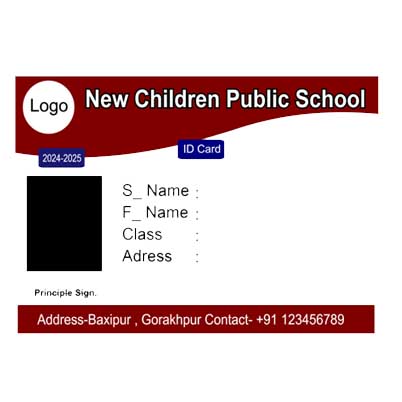
Designing a customizable school ID card online is a straightforward process if you use the right tools. Here’s a step-by-step guide using popular design platforms like CSC Designer
1. Choose a Design Platform:
- CSC Designer offers a wide range of customizable templates and school id card, school id card design is user-friendly.
2. Select a Template:
- Search for “School ID card” in the template library to find pre-designed options.
- Choose a template that fits your needs, or start from scratch if you prefer a completely custom design.
3. Customize the Template:
- Upload Photos: Add the student’s photo by uploading it from your device. Resize and position it as needed.
- Add Text: Enter essential information such as:
- Student’s Name
- Grade/Class
- School Name
- ID Number
- Contact Information
- Insert Logos: Upload and place your school’s logo. Adjust the size and position to fit the design.
- Add Barcodes/QR Codes: Generate and insert a barcode or QR code if needed. Many tools have barcode generators or you can create one separately and upload it.
- Customize Colors and Fonts: Use your school colors and select fonts that match the school’s branding.
4. Adjust Layout and Design:
- Ensure all elements are aligned and spaced correctly.
- Use grids or guides to help with alignment.
- Preview the card to make sure all information is clear and the design looks professional.
5. Save and Print:
- Once satisfied with the design, save your work.
- Export the ID card in a suitable format (PDF, PNG, or JPG) for printing or digital distribution.
7. Print or Distribute Digitally:
- Print: If you’re printing the cards, ensure you use a high-quality printer or send the design to a professional printing service.
- Digital: If the IDs are to be used digitally, you can share the file directly or use digital distribution platforms.
Tips:
- Consistency: Maintain a consistent design that aligns with your school’s branding.
- Readability: Ensure text is legible and the layout is easy to understand.
- Privacy: Be cautious with personal information and ensure secure handling of student data.
If you need help with a specific part of the design process or have any other questions, just let me know!



Reviews
There are no reviews yet.