


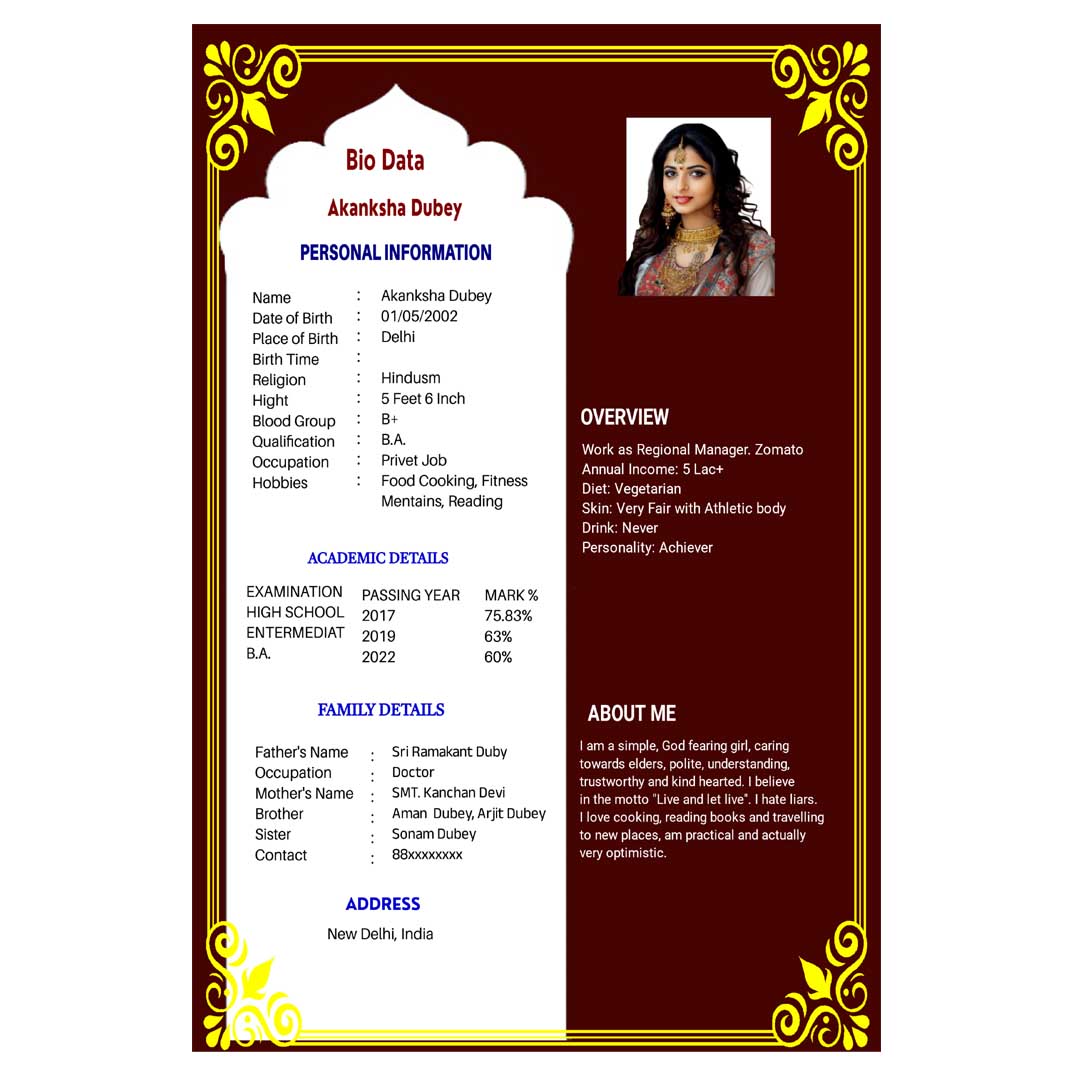
In today’s competitive job market, creating a strong first impression is crucial. When applying for a job, your background document is the very first thing an employer looks at. For many traditional, private, and public sector jobs in India, a well-structured biodata format for a job is highly preferred over a modern resume or CV.
Whether you are a fresher looking for your first job, a professional updating your profile, or a Cyber Cafe/CSC operator helping customers create an application, having the right bio data layout makes all the difference.
This comprehensive guide explains what a job biodata is, how it differs from a resume, the essential elements to include, and common mistakes to avoid, and it provides a free, download-ready biodata format that is proven to impress recruiters.
Please check this…
Aadhar Card Password: e-Aadhaar PDF Password Format
What is a Bio Data Format for a job?
A bio data (biographical data) is a summary of an individual’s personal details, educational qualifications, skill sets, and work experience. Unlike modern resumes that focus heavily on functional skills and project achievements, a bio data format captures a complete, structured overview of the candidate’s life profile.
In India, a professional bio data format for jobs is widely used in:
- Government and semi-government contractual roles
- Administrative and operational jobs
- Customer care and front-desk positions
- Retail, manufacturing, and local business sectors
Bio Data vs Resume vs CV: Understand the Difference
Many job seekers confuse these three terms. To help you choose the correct document for your application, let’s look at the core differences:
| Document Type | Primary Focus | Best Used For | Typical Length |
| Bio Data | Personal demographics, education, and basic experience. | Local, traditional, and government sector jobs. | 1 to 2 Pages |
| Resume | Core professional skills, achievements, and work history. | Corporate, corporate IT, and private sector jobs. | 1 Page |
| Curriculum Vitae (CV) | Detailed academic achievements, research, and long-term career history. | Academic, research, medical, and scientific roles. | 2 to 5+ Pages |
Key Elements of a Professional Job Bio Data
To ensure your bio data ranks highly in the recruitment pile and passes tracking filters easily, it must contain these core sections in sequential order:
1. Personal Details (Demographics)
This is the most critical part of a bio data. It must be highly accurate and match your official government identity documents.
- Full Name: Written in bold capital letters.
- Date of Birth: Clearly formatted (DD/MM/YYYY).
- Gender & Marital Status: Standard requirements for traditional job processing.
- Nationality & Religion: Often required for institutional or local records.
- Languages Known: Mention all languages you can speak, read, or write.
2. Contact Information
- Permanent & Correspondence Address: Provide full house numbers, street names, districts, and PIN codes.
- Mobile Number: Include an active number, preferably connected to WhatsApp.
- Email Address: Keep it professional (e.g., santhosh.kumar@email.com).
3. Educational Qualifications
Present your academic journey in reverse chronological order (latest qualification first) using a clean, readable table format.
4. Work Experience (If Any)
- Clearly state your job title, employer name, duration of employment, and basic responsibilities.
- For freshers, this section can be titled “Academic Projects” or “Key Training Programs.”
5. Core Skills & Hobbies
- Technical Skills: Computer operation, typing speed, accounting software, or online data entry.
- Soft Skills: Communication, teamwork, problem-solving, and punctual behavior.
Standard Bio Data Structure for Quick Editing
Here is the exact layout you can edit in your browser to build a download template:
Common Mistakes to Avoid When Creating a Bio Data
- Typos and Spelling Errors: Double-check your contact details and degree names. A single wrong digit in a phone number means an employer can never reach you.
- Incorrect Alignment: Ensure all colons (
:) and headings line up straight. A messy layout looks highly unprofessional. - Using an Outdated Photo: If the format requires a photograph, use a recent passport-size photo with a clean white or light blue background.
- False Information: Never exaggerate your marks or experience. Background verification can easily catch discrepancies.
- Wrong File Formats: When sending digitally, always convert your Word file into a PDF to keep the fonts and tables locked perfectly.
Step-by-Step: How to Design a Bio Data Online Using cscac.in
Our dedicated utility tools make document creation fast, simple, and entirely free. Follow these simple steps to build your custom job application:
- Step 1: Navigate to the Resume & Bio-Data tool on our homepage.
- Step 2: Fill in the simple form fields (personal info, address, and education details).
- Step 3: Select a premium template style (Simple Classic, Modern Professional, or Executive Grid).
- Step 4: Review the live preview window to ensure all text alignments are straight and error-free.
- Step 5: Click on “Generate & Download PDF” to save your print-ready document instantly.
Frequently Asked Questions (FAQ)
1. Is bio data still accepted for private corporate jobs?
For multinational corporate companies and IT sectors, a modern resume is preferred. However, for local retail business management, customer service agents, school teachers, and office administration roles, a bio data is still highly popular.
2. Should I include references in my job bio data?
Including references is optional. If the job notification explicitly asks for them, add a “References” section at the bottom with the names, designations, and contact numbers of two professional individuals who can verify your character.
3. What is the best font size for a printed bio data?
To ensure maximum readability on paper, use clean standard fonts like Arial, Calibri, or Times New Roman. Keep the main headings at 14 pt (bold) and the body text at 11 pt or 12 pt (regular).
4. Can freshers use this biodata format?
Yes! Freshers can easily use this format by highlighting their educational scores, school or college achievements, technical certifications (like computer typing or basic hardware courses), and extracurricular skills.
5. Is it safe to generate my bio data on online utility sites?
Yes, using a trusted, secure website that utilizes HTTPS encryption and processes your text inputs locally without storing personal details on external databases ensures complete user privacy.
Conclusion
A flawless Bio Data Format for a job is your golden ticket to landing interview calls in traditional and public services. Instead of wasting time attempting to adjust messy columns in complex desktop software, utilizing smart online utility generators provides a fast, free, secure, and perfectly aligned solution.
Ensure your data matches your official identity records, select a clean presentation style, proofread your text carefully, and export your file securely to guarantee a smooth application process with zero chance of formatting rejection.